Software Name:
Magic Burning Toolbox
Version: 5.9.2
Category: Multimedia
Date Listed/Updated: 2016-06-13 16:06:37
File size: 4944 KB
OS: WinXP,Windows2000,Windows2003,Windows Vista Ultimate,Windows Vista Ultimate x64,Windows Vista Starte
License: Other Price($): 29.95
Author/Publisher name: AudioTool Media Technologies Ltd., UK
View Full Screenshot
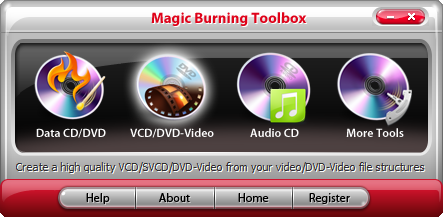
Description: Magic Burning Toolbox provides an Audio CD Burner to process audio streams on-the-fly. This means it can burn audio files to CDs without de-compressing them to listen in a compatible audio system such as a car stereo or stand-alone CD player. Also, the Audio CD Ripper helps you directly rip audio tracks from audio CD for convenient backup & playback.
Directly burn all of your movie collection to DVDs from AVI, MPG, MPEG, MP4, WMV, MOV, MP4, etc. and HD videos such as M2TS, TP, TRP, etc. with high video quality to watch them on home DVD Player, car DVD Player or any other portable DVD Player.
Magic Burning Toolbox provides a Data CD Burner to help you burn data in several sessions to discs to backup your important information, files or folders, images or texts, no matter what they are. It also allows you to update previously burned discs by adding and removing files and folders.
You are allowed to create ISO images from any file format you have through the ISO creator; also, backup your CD/DVD into ISO as an exact copy is available through the ISO ripper, saving you some bucks when you try to copy some PC games, software applications & operating systems; to burn the ISO you create from files or CD/DVD discs, use the ISO burner.
Use the Disc Eraser if you want to wipe off any content previously burnt onto a CD/DVD disc. Also it can display the drive info including some necessary details you should know about your drive. You can also create a bootable disc for your system with a bootable image.

 We have affiliation with number one software market place Share-IT\. Contact us for better pricing/customised coupon code
 Use Avangate Coupoun code 548AAC3EB7 to get maximum discount. Please contact through skype: softrevu or send mail to submit@softrevu.com for better pricing
EULA

Tags: cd burner dvd burner cd ripper disc eraser iso disc burner iso burner iso maker iso creator cd burne
Is this software spam? Report Spam
Software removal request by publisher Removal Request
Software Review: Magic Burning Toolbox Review
For publisher: Request Software Confirmation
Press release from the publisher:For immediate release
Press Contact: James Dawson
AudioTool Media
2202 Grayston Ln.
87501 Santa Fe
United States of America
E-Mail: submit@audio-tool.net
Phone: (505) 648-2382
Fax: (505) 648-2382
Magic Burning Toolbox - Audio & Multimedia / CD Burners Software
----------------------------------------------------------------
AudioTool Media {has announced#announces#announced} Magic Burning Toolbox.
Magic Burning Toolbox provides an Audio CD Burner to process audio streams on-the-fly. This means it can burn audio files to CDs without de-compressing them to listen in a compatible audio system such as a car stereo or stand-alone CD player. Also, the Audio CD Ripper helps you directly rip audio tracks from audio CD for convenient backup & playback.
Directly burn all of your movie collection to DVDs from AVI, MPG, MPEG, MP4, WMV, MOV, MP4, etc. and HD videos such as M2TS, TP, TRP, etc. with high video quality to watch them on home DVD Player, car DVD Player or any other portable DVD Player.
Magic Burning Toolbox provides a Data CD Burner to help you burn data in several sessions to discs to backup your important information, files or folders, images or texts, no matter what they are. It also allows you to update previously burned discs by adding and removing files and folders.
You are allowed to create ISO images from any file format you have through the ISO creator; also, backup your CD/DVD into ISO as an exact copy is available through the ISO ripper, saving you some bucks when you try to copy some PC games, software applications & operating systems; to burn the ISO you create from files or CD/DVD discs, use the ISO burner.
Use the Disc Eraser if you want to wipe off any content previously burnt onto a CD/DVD disc. Also it can display the drive info including some necessary details you should know about your drive. You can also create a bootable disc for your system with a bootable image.
Pricing and Availability
------------------------
Magic Burning Toolbox {runs under#works under#was build for} WinXP,WinVista,WinVista x64,Win7 x32,Win7 x64,Win2000,Windows2000,Windows2003,Windows Vista Ultimate,Windows Vista Ultimate x64,Windows Vista Starter,Windows Vista Home Basic,Windows Vista Home Premium,Windows Vista Business,Windows Vista Enterprise,Windows Vista Home Basic x64,Windows Vista Home Premium x64,Windows Vista Business x64,Windows Vista Enterprise x64 and {costs#is available for} $29.95 (US). Licensed users are entitled to the fully-functional copy of the {software#product}.
Further information on the {product#software}, as well as its free evaluation copy is available from http://www.audio-tool.net/products/magicburningtoolbox.html. Magic Burning Toolbox {can be ordered#is available} directly from http://www.audio-tool.net/store/index.html.The {program#software} comes with an installer and uninstaller for {easy usage#easy handling}.
About AudioTool Media
---------------------
AudioTool Media {is located in#comes from} Santa Fe, United States of America.For further information about AudioTool Media {visit#go to} http://www.audio-tool.net. You will also find all contact {information#details} as well as a profil there.
Visit the Press Release for more details
Software from the publisher:Audio Convert Toolbox, Magic Burning Toolbox, Audio Record Edit Toolbox Pro,
 Free YouTube Downloader Converter


