Software Name:
WebCamSplitter
Version: 1.5
Category: Miscellaneous
Date Listed/Updated: 2022-06-30 16:59:44
File size: 3000 KB
OS: WinXP,WinVista,WinVista x64,Win7 x32,Win7 x64,Win2000,WinOther,Windows2000,Windows2003,WinServer,Win
License: Other Price($): 19.95
Author/Publisher name: Verysoft, LLC Verysoft, LLC
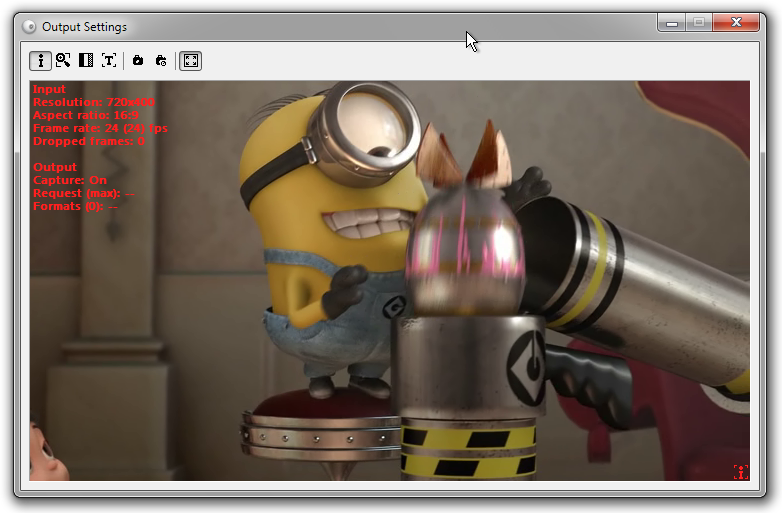
View Full Screenshot
Description: It s known that two or more applications cannot use the same stream from the same webcam at the same time. If one application captures a video source, another application cannot reach it because the source is locked. Typical example: you need to give a videoconference with two friends or partners at once. If your videoconference software does not support multiple conferences, you will have to start two instances of the same software. Unfortunately, in this case you may get into trouble because one application will translate video, and the other one will not. What is the solution? It s simple - just use WebCamSplitter. Features: 1) Customization of input output resolutions. You can use a video stream of any resolution mode from the list of webcam supported resolution modes, independently for input and output. This allows to customize your video as you wish. 2) Preview for every application that is used with WebCamSplitter. 3) Preview for the output video stream dependent application that is used by WebCamSplitter. 4) Digital Zoom and Pan for every application that is used by WebCamSplitter. 5) Desirable frame rate in a video stream. 6) Video stream desirable processing quality. 7) Ability to use Local Media File (AVI, WMV, MPG, BMP, JPG ...) as video source. 8) Virtual audio device. Now using local media file is possible to transfer audio stream to modern IM like MSN. 9) Intelligent Connect feature allows to use IYUV, MPEG4 and other input formats, instead of just RGB24-compatible devices in previous version. 10) Support of DV cameras. 11) One of fastest products on the market 12) User-friendly interface and detailed help. 13) User- friendly interface for color correction control. 14) Text overlay option.15) Brightness and contrast leveling. 16) Added grab still image function and screen capture as video source. Besides, WebCamSplitter is always available via system tray just like your ICQ, AIM or Yahoo IM.

 We have affiliation with number one software market place Share-IT\. Contact us for better pricing/customised coupon code
 Use Avangate Coupoun code 548AAC3EB7 to get maximum discount. Please contact through skype: softrevu or send mail to submit@softrevu.com for better pricing
EULA

Tags: webcam split duplicate simultaneous access video stream virtual camera device driver
Is this software spam? Report Spam
Software removal request by publisher Removal Request
Software Review: WebCamSplitter Review
For publisher: Request Software Confirmation
Software from the publisher:WebCamSplitter Pro, WebCamSplitter,
 Free YouTube Downloader Converter


