Software Name:
View Windows XP Backup in Windows 7
Version: 5.9
Category: Utilities
Date Listed/Updated: 2022-10-11 17:52:53
File size: 3020 KB
OS: Win2000,Win7 x32,Win7 x64,Win98,WinOther,WinServer,WinVista,WinVista x64,WinXP,Other
License: Other Price($): 89
Author/Publisher name: View XP Backup in Windows 7
View Full Screenshot
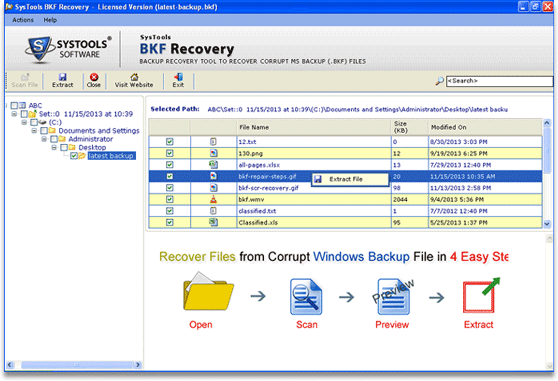
Description: The organization has brought up advanced and powerful BKF repair software for different need of users. BKF recovery software can be taken as an example that is used to repair corrupt BKF file in simple manner. Among all the available tools in online market, BKF recovery software is one of the best solutions to resolve, How to View Windows XP Backup in Windows 7 query of users. If you have changed your Windows environment and but unable to restore or extract Windows XP backup files on Windows 7 then, you should try our advanced solution to restore BKF file in windows 7 easily. As we already discussed on the free demo version of BKF recovery tool in previous part, it is simple and works as same as full version. It offers you free preview of recovered Windows backup files without any cost. By using it, you can gain full knowledge about the software and its features. After trying this, if you need to extract the Windows backup data then go ahead for buying full licensed version. It is available at $89 which gives you full recovery of Windows backup files.

 We have affiliation with number one software market place Share-IT\. Contact us for better pricing/customised coupon code
 Use Avangate Coupoun code 548AAC3EB7 to get maximum discount. Please contact through skype: softrevu or send mail to submit@softrevu.com for better pricing
EULA

Tags: view windows xp backup in windows 7 repair corrupt bkf file bkf recovery tool bkf repair software
Is this software spam? Report Spam
Software removal request by publisher Removal Request
Software Review: View Windows XP Backup in Windows 7 Review
For publisher: Request Software Confirmation
Software from the publisher:View Windows XP Backup in Windows 7,
 Free YouTube Downloader Converter


