Software Name:
C# Read Excel File
Version: 2021.11.0
Category: Miscellaneous
Date Listed/Updated: 2023-01-23 04:54:37
File size: 294 KB
OS: Win2000,WinXP,Win7 x32,Win7 x64,Windows 8,Windows 10,WinServer,WinOther,WinVista,WinVista x64
License: Other Price($): 499
Author/Publisher name: Christian Findlay
View Full Screenshot
Description: IronXL (Excel) is a C# VB .NET class library with functionality for reading, generating, and updating Excel spreadsheets. Iron Excel can be used for a host of applications, including accounting and finance systems, content management, and data import.
Iron Excel is different from Office Interop not only that it requires very little to be installed on the target machine, but also, IronExcel is unique in its usability. The API is incredibly easy to use and install within any .NET project, including C# projects which read Excel files, create Excel files, and export or import data from Excel. This saves hours or weeks of development.
You can read data from Excel in C# to summarize data or export it to a database. You can also use it to validate or write data to an Excel document, edit existing documents, and extract content such as text and images from documents.
The API supports formatting the cells in the worksheet so you can make beautiful spreadsheets that impress your audience. You can add Excel document processing to your integration pipeline to automate repetitive tasks such as data entry.
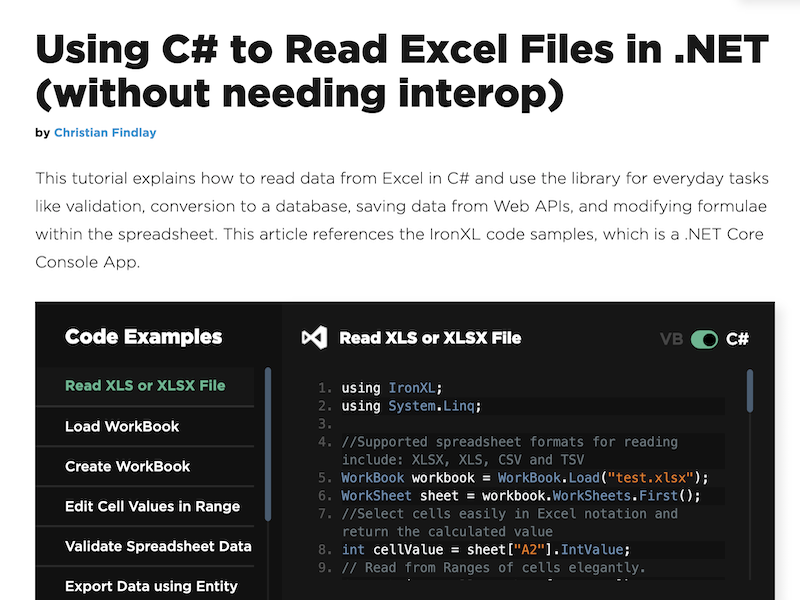
Developers don t need to install any software for IronXL to run. Install the NuGet package from https: www.nuget.org packages Ironxl.excel in Visual Studio and Read the API document here: https: ironsoftware.com csharp excel docs . The NuGet package contains a dll to read excel file with C#. The documentation comes with a set of four sample applications that demonstrate how to read data from Excel, write data from a Web API to an Excel document, validate data in an Excel document, import Excel data into a database, and add formula to perform complex calculations in the worksheet.
IronXL is free for development use and can be used liberally on machines where Visual Studio is in use. IronXL offers commercial licensing for deployment when your ASP .NET Core website is deployed to a staging or live web server.
Contact us now for more information on licensing.

 We have affiliation with number one software market place Share-IT\. Contact us for better pricing/customised coupon code
 Use Avangate Coupoun code 548AAC3EB7 to get maximum discount. Please contact through skype: softrevu or send mail to submit@softrevu.com for better pricing
EULA

Tags: c# read excel file c# excel c# read excel c# create excel file c# excel library c# write to exc
Is this software spam? Report Spam
Software removal request by publisher Removal Request
Software Review: C# Read Excel File Review
For publisher: Request Software Confirmation
Press release from the publisher:IronXL (https: ironsoftware.com csharp excel tutorials how-to-read-excel-file-csharp ) is the premium .NET library for Microsoft Excel on .NET. It enables Microsoft Excel integration. Read and write data, formulas, and cell formatting with C# or VB.Net . It s free for development use, with commercial licensing for deployment when your Core website is deployed to a staging or live web server. https: www.nuget.org packages IronXL.Excel
IronXL (https: ironsoftware.com csharp excel ) is the premium .NET library for Microsoft Excel with a comprehensive suite of tools for Microsoft .NET platforms such as .NET Framework and .NET Core. It enables Microsoft Excel integration with a user-friendly API. It makes spreadsheet generation in ASP.NET Core and other .NET apps straightforward.Read and write Excel document data, formulas, and cell formatting with C# or VB.Net. Developers don t need to install any software for IronXL to run. IronXL is free for development use, and there is commercial licensing for deployment when your ASP .NET Core website is deployed to a staging or live web server. Contact us now for more information on licensing.
IronExcel does not use Office Interop. It requires almost no extra components to be introduced on the target machine, yet additionally, IronExcel is extraordinary in its ease of use. The API is super simple to utilize and introduced inside any .NET language, including C# which read Excel documents, makes Excel files, and imports information from Excel. This spares hours or long development.
You can view information from Excel in C# to calculate data or move it to a database. You can likewise utilize it to approve or compose information to an Excel record, alter existing documents, for example, content and pictures from reports. The API formats cells in the worksheet so you can make delightful spreadsheets that dazzle your crowd.
You can add Excel file handling to your development pipeline. Developers don t have to install any product for IronXL to run. Install with NuGet from https: www.nuget.org bundles Ironxl.excel in Visual Studio and Read the API archive here: https: ironsoftware.com csharp excel docs . The NuGet bundle contains a dll for C#. The documentation accompanies a lot of example applications that exhibit how to read information from Excel, compose information from a Web API to an Excel file, approve information in an Excel report, import Excel information into a database, and add formulas to perform complex computations in the worksheet.
IronXL is free to utilize as generously as needed on machines where Visual Studio is being used. IronXL offers business licensing for publishing your ASP .NET Core site to a live server or deployed software application.
Visit the Press Release for more details
Software from the publisher:C# Read Excel File,
 Free YouTube Downloader Converter


