Software Name:
Image Viewer
Version: 4.2
Category: Utilities
Date Listed/Updated: 2023-02-13 05:51:40
File size: 32563 KB
OS: Microsoft Windows 7 / 8 / 8.1 / 10 (32-Bit & 64-Bit), Windows 11 (64-Bit).
License: freeware Price($):
Author/Publisher name: Image Viewer
View Full Screenshot
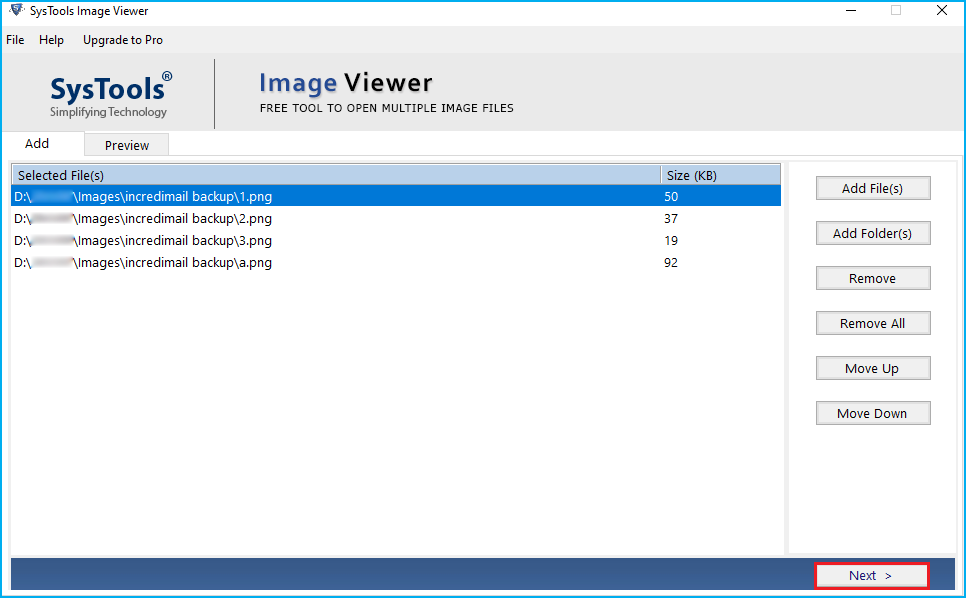
Description: With the Image Viewer tool, you can insert any size and number of images without worrying about file size. The software has no file size restrictions for opening and viewing images. Image Viewer can be used to view and open any type of image by adding images to the software. Various types of images can be added, such as .jpg, .webp, .jpe, .jpeg, .png, .gif, .tiff, .tga, .ico, .icon, .bmp, .emf, .exif, .wmf , .memorybmp, .jfif and .ccitt. Image File Viewer Software provides an option to change the order set after adding images. You can use the Move Up option to move the image up and the Move Down option to move the image down and rearrange the order. When you add images to the software to open and view them, you can choose to print them directly if you wish. During this process, you will be able to change the page layout settings and the file will be saved to your desktop by default. You can use this Image Viewer software to open images files on Windows OS 11, 10, 8, 7 (32 64 bit).

 We have affiliation with number one software market place Share-IT\. Contact us for better pricing/customised coupon code
 Use Avangate Coupoun code 548AAC3EB7 to get maximum discount. Please contact through skype: softrevu or send mail to submit@softrevu.com for better pricing
EULA

Tags: image viewer image file viewer free image viewer open image files
Is this software spam? Report Spam
Software removal request by publisher Removal Request
Software Review: Image Viewer Review
For publisher: Request Software Confirmation
Software from the publisher:Image Viewer,
 Free YouTube Downloader Converter


