Software Name:
Financial Accounting Software
Version: 3.0.1.6
Category: Business
Date Listed/Updated: 2023-03-03 15:47:18
File size: 6184 KB
OS: Windows 11,Windows 10,Windows 10 x64,Windows 8,Win7 x32,Win7 x64,WinVista,WinVista x64,WinXP,Other
License: Other Price($): 69
Author/Publisher name: Barcode Generator
View Full Screenshot
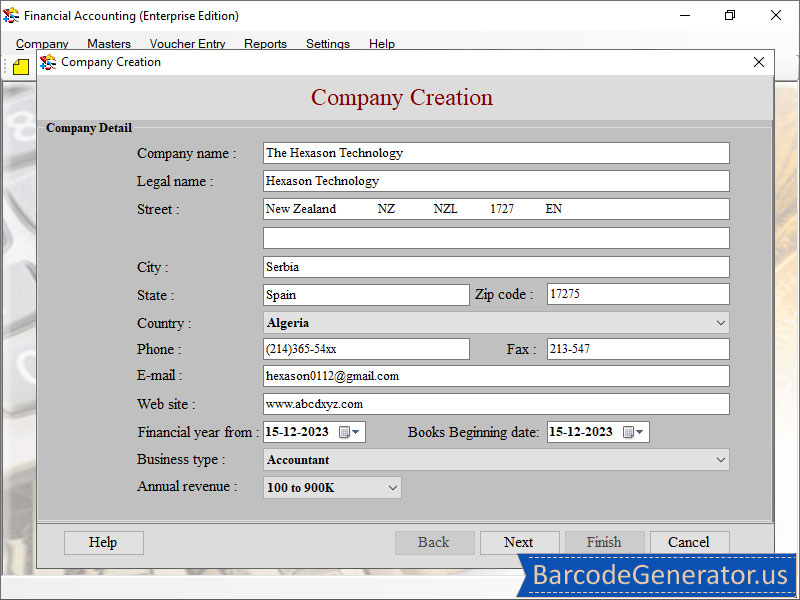
Description: Financial accounting software creates final report for business firm by which they can easily find their monthly and yearly turnover of their company. It also uses to manage assets, liabilities, expenses and loan given or taken by a company to maintain their credit or debit accounts. Following steps to describe the full functionality of financial accounting software. Step1: Download financial accounting software (Enterprise Edition) and install it. Step2: Click on company creation button and fill the details of your company like name, address, type of business, financial year, annual revenue etc. Step3: Vendor has to fill his personal details and role in a company. Step4: Set security information and currency info and click on finish button. Step 5: In company option user can create edit or delete company at any time. Step6: Master Button option gives user to create account and set financial and account details in it and click on list button, store, currency conversion and item we can also set the type of a tax in a product user has to pay like government tax or state tax etc. Step7: select Voucher entry which is used for documentation of sales, production and purchase register, Journal voucher etc. Step8: Click on report option in which user have final sheet, sales, production, stock, account details on yearly basis. Step 9: Click on setting button user can find barcode setting there select font and colour can store all the value in a barcode it manages details fast and accurate. Step10: By clicking print button user can export the reports in PDF and excel file formats. *Highlighted Features: *Create various financial report like balance sheet, trial balance, profit loss, stock etc to analyse the performance of the business. *Barcode option gives faster and accurate way to maintain accounts. *Vendor can set tax type which help to elaborate how much tax on an item. *Easy to keep track of customer- vendor record, entries, tax info etc.

 We have affiliation with number one software market place Share-IT\. Contact us for better pricing/customised coupon code
 Use Avangate Coupoun code 548AAC3EB7 to get maximum discount. Please contact through skype: softrevu or send mail to submit@softrevu.com for better pricing
EULA

Tags: Software Tool For Maintaining Account Sales Register Creator Software Account Managing Software To
Is this software spam? Report Spam
Software removal request by publisher Removal Request
Software Review: Financial Accounting Software Review
For publisher: Request Software Confirmation
Software from the publisher:Free Barcode Software, Business Barcode Software, Barcode Generator, Barcode Generator Free, Generator Barcode For Mac, Barcode Label generator, ID Card Generator Software, Financial Accounting Software, Card Designing Software, Birthday Card Generator, Business Card Generator, Barcode for Packaging Industry, Greeting Card Generator, Free Barcode Generator, ID Cards Maker Tool, Barcodes Generator Software, Barcode for Generator, Barcode Generator for Post Office, Windows Corporate Barcode Maker tool,
 Free YouTube Downloader Converter


